
An IT Risk Register Makes Support Decisions Easier
If you are the owner or operations leader asked to approve competing IT work, the known risks may live in conversations, tickets, and memory. That makes it hard to explain why one issue should be funded first, whether another can be accepted, or who is responsible for the next review.
A risk register makes the decision visible. It records what could go wrong, the effect on employees, customers, operations, data, or cost, the response chosen, the accountable owner, and the next review date.
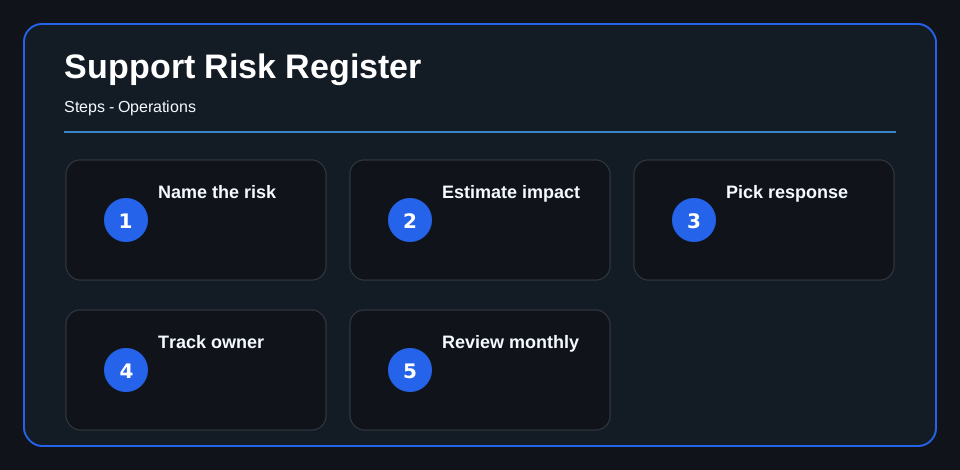
Name the risk clearly
The first job is to describe the risk in plain English. Avoid vague entries like “security issue” or “old server.” A useful risk statement explains the event and the impact: a system could fail, a backup might not restore, access may be too broad, or monitoring may miss an important signal.
That clarity helps support teams and leaders discuss the same thing.
Estimate business impact
IT risk affects the business. A technical problem can interrupt work, expose data, delay service, increase cost, or create compliance pressure.
Estimate impact and likelihood in a simple way. The goal is not perfect math. The goal is to compare risks consistently so the team can focus on the items that matter most.
Pick a response
Each risk needs a response. The team may reduce it, transfer it, avoid it, or accept it. The choice should match the business’s tolerance for risk and the cost of the fix.
For example, a monitoring gap might be reduced with managed SIEM. A phishing exposure might be reduced through phishing campaigns and user awareness work.
Assign an owner and review date
Risks without owners linger. Add a responsible person, target date, and review cadence. If leadership accepts a risk, record that decision so it is not confused with forgotten work.
The register should become part of normal support review, not a separate annual exercise.
For compliance-driven work, the same ownership habit applies to CMMC scope, evidence, and roadmap planning, where open gaps need owners, evidence, and review dates.
For a broader process, turning compliance pressure into an IT action plan shows how to connect obligations, controls, gaps, owners, and review cadence before deadlines create urgency.
What to do next
Create a list of the technology risks most likely to affect employees, customers, service continuity, sensitive information, or a committed deadline. Give each one an owner, a chosen response, the reason for that choice, and a next review date.
For judgment on security priorities, evidence, and honest risk boundaries, continue to Cybersecurity and Compliance expertise. A register supports a defensible decision; it does not calculate risk perfectly or guarantee that an incident will not occur.